Nonprofit Software Budget Planning Under Funding Constraints
Diagnose your process costs before buying the tool that claims to fix them.
Nonprofit software decisions fail for a familiar reason. Teams evaluate tools before they know what their broken processes cost them. The result is more logins, more systems to maintain, and the same stale numbers in front of the board. The fix is a discipline-first sequence: name the gap, price the gap, then ask whether a tool closes it. This piece walks that sequence from diagnosis through tool selection to the post-launch costs most budgets never plan for.
Why nonprofit software decisions keep failing despite good intentions
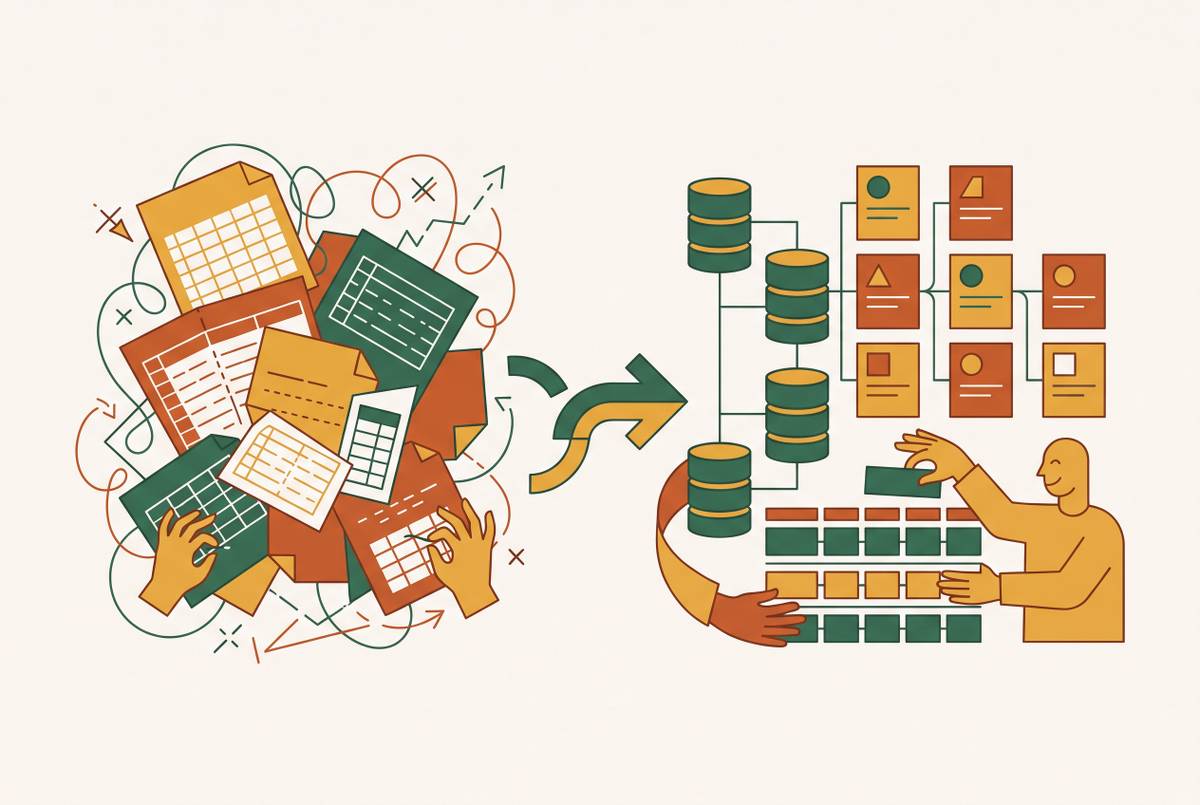
The controller's day hasn't changed in a decade. Actuals get pulled from the ERP into a spreadsheet. That spreadsheet gets emailed to three or four editors, each saving a version with their initials and a date. The numbers get re-entered line by line into another workbook for the board package. By the time the report reaches anyone who can act on it, the numbers are already stale.
The real cost isn't the hours. It's every strategic decision that depends on figures that no longer match reality. A controller spending days rebuilding reports is not catching errors. That same controller is not preparing for an audit six weeks out. The audit prep slips, the errors compound, and the board sees a picture of the organization that stopped being true last Tuesday.
Fragmented tools make this worse. Fundraising runs on one system, accounting on another, impact measurement on a third. Real-time financial visibility becomes structurally impossible, not because anyone lacks intelligence but because no system talks to any other.
So organizations go shopping for software to fix a process problem they haven't yet named. They buy tools that add capability on paper. What those tools don't do is reduce the burden of running the finance function on a constrained budget.
The funding environment that makes every software dollar harder to justify
Federal and foundation funding comes with strings attached. A grant might cover a program while explicitly excluding administrative overhead. Each new grant adds restrictions and reporting requirements, but the staff count stays the same. Complexity multiplies while capacity stays flat.
Revenue forecasting is structurally uncertain. Most grant applications take months, and only a small fraction succeed. Building a software procurement plan on optimistic assumptions about future funding is dangerous in exactly the way optimistic program planning is dangerous. The difference is that a failed software purchase keeps drawing on the budget.
There's a deeper structural issue. Foundations fund programs, not the operational infrastructure that makes programs run. Technology rarely gets covered. When it does, the grant typically funds launch only, not the ongoing maintenance that keeps a tool useful. An organization can receive a grant for new software and still have no line item for keeping that software current eighteen months later.
Mid-size, grant-dependent organizations sit in the hardest position. They've outgrown spreadsheets but can't fund enterprise systems. They pay the highest proportional technology cost, yet they have the least capacity to design and maintain systems well. Smaller organizations that rely on a single revenue source are even more exposed. Multi-year grants offer predictability, but most organizations can't get them, especially without institutional relationships.
The pressure makes disciplined software spending a survival skill. Every dollar spent on a tool that doesn't reduce operational burden is a dollar not spent on mission. That's the case for the sequence this piece lays out.
Diagnosing your operational gaps before evaluating any tool
The practical question isn't "what software should we buy?" It's "where is our process breaking, and what does that breakage cost us in staff time, audit risk, and funder confidence?" Before you decide what to buy, name three categories of operational gap.
Planning gaps show up in the budget process itself. The budget lives in a group spreadsheet. Multiple people can't work simultaneously. Version control is by filename. This is a planning bottleneck, not necessarily an accounting problem. The fix may be a planning tool rather than a new ledger.
Visibility gaps are data-access problems. Finance staff can't produce a fund-level balance sheet. Restricted and unrestricted funds collide in reports. Actuals are a week stale when the board sees them. If you connect your ERP and reporting layer live, you can solve this without replacing either system.
Compliance gaps are audit-readiness problems. A grant auditor asks how payroll costs were allocated across programs. The documentation doesn't exist in retrievable form. Federal OMB Uniform Guidance requires internal controls the current workflow can't demonstrate. This requires fund-level tracking, not just better reports.
Why does this distinction matter? Because a tool that solves a visibility gap won't solve a compliance gap. Buying in the wrong category is how organizations end up with software that doesn't reduce burden. The board's demand for scenario planning is a signal worth taking seriously. Boards want scenario models and clear ties between spending and outcomes. Producing that from manually assembled spreadsheets isn't just difficult. It isn't credible.
When your budget scale determines what category of tool makes sense
The right tool category gets determined by budget scale and funding complexity before any feature comparison begins. If your activity is under roughly $250,000, QuickBooks Online plus a spreadsheet is still the right starting point. Extra software only starts to earn its keep when several people must edit the plan, grants split payroll, or fund reports outgrow the workbook. Spending on more tool than this before hitting these triggers is spending on overhead you don't yet need.
The mid-range band is where spreadsheets start cracking. A second program, a multi-year grant, or a fund-level balance sheet request from the board signals that a purpose-built tool has become worth evaluating. At this stage, Aplos earns its place. It's nonprofit-purpose-built, with fund accounting and a budget module in one place. It holds restricted money visible and pulls actuals from the accounting system you already trust. Tiered plans run from a basic entry point through core budgeting to a full advanced tier.
Grant-heavy organizations face a different problem. When staff are split across multiple grants and a wrong allocation can cost the funding, most software built to solve payroll allocation runs well into the tens of thousands of dollars a year. That's enough to trigger a formal procurement process before you can even evaluate it.
One filter matters before any other feature. A tool that can't keep a grant line separate from unrestricted operations will have you rebuilding the same workbook inside a new login. Fund-level separation is non-negotiable. If the tool can't do that, nothing else about it matters.
The practical 2026 shortlist of nonprofit budgeting tools, matched to gap type
Each tool here solves a different gap type. Choosing the wrong fit is as costly as choosing no tool at all. QuickBooks Online plus a spreadsheet fits organizations at the smaller end of the budget scale. It includes a basic budget and budget-vs-actual reporting with classes. It still cannot give a true fund-level balance sheet, which is the honest caveat to hold onto. It starts at $38 per month, and TechSoup pricing is available for eligible 501(c)(3)s.
Aplos is purpose-built for churches and small-to-mid nonprofits. Fund accounting and a budget module live in one place. You get fund-level budgets and grant and payroll allocation on the Advanced tier. Tiered monthly pricing runs from a lite entry point through core to advanced.
Sage Intacct for Nonprofits targets large or multi-entity organizations already on the Intacct platform. Native fund accounting and grant tracking are the draw. Pricing is quote-required, which itself signals the scale of deployment. Blackbaud Financial Edge NXT makes sense for organizations already in the Blackbaud stack. It offers native fund accounting and grant tracking, also quote-required.
The honest planning number for each tool is not the sticker price. It's the total cost of keeping the tool current, integrated, and staffed over three years. That's the number most budgets skip.
Why Airtable's acquisition by Bending Spoons changes the risk calculation for nonprofits using it as operational infrastructure
Airtable is now part of Bending Spoons. The acquisition closed on September 4, 2026. Published pricing has not changed yet. That's the fact pattern. Now the planning implication.
For nonprofits using Airtable as a database backbone, whether tracking beneficiaries, programs, grants, or volunteers, a significant price change mid-grant-cycle is a budget integrity problem. It's not just a software preference. A grant budget approved in January assumes a certain per-seat cost in September. If that number moves materially, the grant budget doesn't absorb it quietly.
The right response isn't immediate migration. It's informed contingency planning. Budget for a possible price change, not for today's rates. Evaluate alternatives before a forced decision under time pressure. The time to understand your options is before the invoice arrives at a number you didn't plan for.
Airtable alternatives that hold up under the nonprofit operating reality
The best Airtable alternative for a given nonprofit is the one that matches their data-residency requirements, technical capacity, and budget tolerance. Not the one with the most features. Baserow is open-source, and you can self-host it for full data control. It holds SOC 2 Type II, GDPR, and HIPAA compliance. It can be deployed via Docker or standard cloud VMs. It fits organizations with data-residency or compliance requirements and at least one technical staff member or a technical partner.
NocoDB and Grist are open-source, self-hostable, and SQL-backed. They suit nonprofits with compliance requirements and technical capacity. Total cost runs lower, but someone has to own the infrastructure. Notion offers nonprofit discounts and works well for all-in-one workspace needs where relational database depth isn't the primary requirement. It is not a replacement for Airtable when complex relational data is the core use case.
The self-hosting path trades licensing cost for operational responsibility. It only makes sense when the organization has someone who can own that responsibility, on staff or through an ongoing technical partner. Organizations without technical staff shouldn't treat "free and open-source" as automatically cheaper. The hidden cost is maintenance, updates, and the single point of failure when the person who set it up leaves. That is a predictable failure, not an unlikely one.
The build-vs-buy decision for nonprofits whose mission doesn't fit a SaaS template
When a nonprofit is paying for multiple SaaS tools that partially overlap, or stitching together five systems that should be one, the build-versus-buy framing is too narrow. There's a third path: a partner-build the organization owns. Build when the mission, beneficiaries, or program model don't fit a SaaS template. Or build when the annual SaaS cost of approximating the needed workflow approaches what a focused custom build would cost over three years. At that point, ownership starts to look cheaper than rent. The partner-build path means working with an outside engineering firm to design and build software the organization owns, with a smaller internal team or none. For nonprofits without a permanent engineering function, this is often the realistic middle path between buying a tool that almost fits and hiring engineers you can't afford.
One warning applies. An engineering partner that disappears after launch is the custom-software equivalent of a grant that funds launch but not maintenance. The ongoing support relationship is what converts a build into a productive asset rather than a liability. Confirmed engineering partners serving nonprofits include RaftLabs, founded in 2015, which applies end-to-end custom software delivery to budget-conscious nonprofit builds, with one team owning the whole engagement to prevent cost and timeline leakage across handoffs. Chetu, US-based and founded in 2000, positions as the budget custom option, building donation management, event and membership systems, and back-office tools at rates that fit organizations for which a US boutique is out of reach.
What post-launch sustainability actually costs and how to budget for it honestly
If nonprofit software is bought or built, its default failure mode is a successful launch followed by quiet decay. The antidote is building maintenance costs into the original budget rather than treating them as a future problem. Technology is not a one-time expense. A tool funded at launch but not maintained degrades as the mission evolves, staff turn over, and the systems it connects to change. That degradation is gradual enough to miss until the board asks for a report the tool can no longer produce. For custom builds, a practical budget rule is to plan for ongoing maintenance as a recurring annual cost calculated against the original build investment, and to establish a retainer with an engineering partner for ongoing support rather than treating maintenance as ad hoc project work.
The scale-up phase is the danger zone. In the MVP phase, speed is everything. As an organization finds its footing and starts to grow, the interest on deferred architectural decisions begins rising. The handful of structural choices that are genuinely expensive to reverse need a real planning horizon, not a later-problem designation. Technical debt in nonprofit software is a predictable stage, not a moral failing. The right moment to address it is when real users arrive, not before the first user does and not after the system is visibly breaking.
For off-the-shelf tools, the equivalent discipline is the Airtable lesson applied broadly. The price you're paying today is not necessarily the price you'll pay in year three. Budget for realistic total cost of ownership: potential pricing changes, integration maintenance, and the staff time required to keep the tool current. The skill gap compounds the tool gap. Nonprofit teams rarely have the professional development budget that corporate finance teams invest per person. Even the right tool can underperform if no one on staff knows how to build maintainable models inside it. Training and capacity-building are line items, not afterthoughts.
Disciplined software planning is itself a form of mission protection. The sequence is simple: name the gap, price the gap, match the tool category to your scale, budget for what comes after launch. Organizations that follow it spend less and get more. That's the whole point, and it's achievable.